Finding productive remote work spots in Boston means navigating a city where that quiet Cambridge cafe transforms into Harvard student chaos by 10am with group projects treating your Zoom calls like background noise, most Back Bay coffee shops close by 6pm forcing evening workers into expensive hotel lobbies or going home, and every Seaport workspace charges $35 daily for what amounts to a shared desk with mediocre coffee while tourists photograph the waterfront outside your window. Whether you’re a remote tech worker whose company went fully distributed leaving you to find productive alternatives to your expensive studio apartment near Fenway, a freelance designer discovering Boston’s winter makes working from home feel like seasonal depression prison requiring escape to spaces with actual humans and natural light, a consultant whose client meetings demand professional video call backgrounds beyond your messy bedroom, or a graduate student whose Allston roommates make focused work absolutely impossible during their 2pm gaming sessions, you need spaces with enterprise-grade WiFi that doesn’t crash during critical client presentations, outlets acknowledging laptops need power beyond the aesthetic single plug for decoration, and atmospheres where New England reserved culture means people actually respect your focus rather than treating your workspace like their networking opportunity.
This guide reveals where Boston remote workers genuinely accomplish professional work without fighting the city’s high costs, suffering through MBTA commutes that take 45 minutes to travel 3 miles on the Green Line, or spending $8 per coffee at artisanal shops that glare when you stay past your second drink. You’ll find honest intel about seasonal challenges when Boston winter eliminates outdoor working November through April and summer tourists flood every remotely pleasant workspace, parking realities in neighborhoods where resident permit zones and $4/hour meters make driving to work spots financially painful, Boston’s early closing culture where cafes shutting at 6pm assume everyone works 9-5 office jobs, and which co-working spaces actually justify their premium pricing versus ones charging Seaport rates for Dorchester amenities. For more options across the region, explore study spots across Massachusetts or browse StudyNearby’s complete directory.
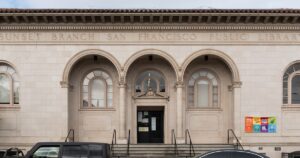
1. Boston Public Library – Central Branch Copley Square
Address: 700 Boylston St, Boston, MA 02116
Best for: Free library access, Copley Square location, architectural beauty
Boston Public Library’s central branch in Copley Square provides completely free remote work environment with stunning Bates Hall reading room and comprehensive resources. The institutional library infrastructure and Back Bay central location create accessible workspace eliminating cafe purchase pressure. The historic architecture and quiet reading room standards support serious professional work.
Free public library WiFi designed for educational use with outlets at most study positions throughout reading rooms and research areas. The Bates Hall reading room provides cathedral ceiling grandeur creating inspiring work environment. Multiple floors offer varied atmospheres from enforced silence to moderate activity areas. The public library model and free comprehensive access eliminate ongoing workspace costs.
Located on Boylston Street at Copley Square accessible via Green Line Copley station (directly adjacent), Orange Line Back Bay station (5 minute walk), and buses. The Back Bay central location provides maximum transit accessibility from throughout Boston and suburbs.
Practical details: Hours: Mon-Thu 9am-9pm, Fri-Sat 9am-5pm, Sun closed Oct-May, Sun 1pm-5pm Jun-Sep Transit/Parking: Green Line Copley (adjacent), Orange Line Back Bay (5 min walk), buses 9, 10, 39, 55, CT1; parking garages $25-35/day Back Bay; bike racks, Bluebikes Amenities: Free public WiFi, outlets at most positions, Bates Hall reading room, study rooms reservable, restrooms, completely free access, research databases, quiet standards enforced Remote Work Features: Free access eliminates costs, central Back Bay location, quiet reading rooms for calls, outlets throughout, architectural inspiration, professional atmosphere, MBTA accessible
Downside: Sunday completely closed October through May (major limitation for weekend workers); Friday-Saturday early 5pm closing eliminates weekend work sessions; library quiet standards prohibit most phone calls in reading rooms (need to use lobbies or exit building); no food or drinks in reading areas (unlike cafes); can feel isolating without cafe social energy; homeless population uses library (public resource serving community); tourist groups sometimes disrupt quiet during peak seasons.
2. Pavement Coffeehouse – Multiple Boston Locations
Address: Multiple locations: Newbury Street (286 Newbury St), Boston Common (1096 Boylston St), Cambridge (1334 Massachusetts Ave)
Best for: Boston chain, laptop-friendly culture, multiple neighborhoods
Pavement Coffeehouse operates multiple Boston and Cambridge locations with local chain providing consistent laptop-friendly experience. The Newbury Street Back Bay, Boston Common, and Cambridge Harvard Square locations serve different neighborhoods with the chain model ensuring predictable WiFi quality and remote worker tolerance. The multiple locations create geographic flexibility across Boston metro.
Chain WiFi reliable for professional remote work with outlets at some seating positions (coverage varies by location but generally limited requiring strategic selection). The established Boston chain status and explicitly laptop-friendly culture create workspace tolerance during off-peak hours. The multiple neighborhood locations provide alternatives to single-cafe dependence.
Multiple Boston metro locations: Newbury Street (Back Bay shopping district), Boston Common (near Public Garden), Cambridge (Harvard Square area), plus other locations. Each maintains Pavement quality with neighborhood-specific vibes.
Practical details: Hours: Daily 7am-7pm (varies by location) Transit/Parking: Newbury Street Green Line Copley/Hynes; Boston Common Green/Red Park Street; Cambridge Red Harvard; buses; Back Bay parking expensive, Cambridge meters; bike-friendly all locations, Bluebikes Amenities: Reliable chain WiFi, outlets at some positions (limited), restrooms, Boston chain coffee, food menu, explicit laptop-friendly culture, multiple neighborhoods Remote Work Features: Laptop-friendly culture established, multiple location options, reliable WiFi across spots, chain consistency, neighborhood alternatives, off-peak calm
Downside: All locations close 7pm eliminating evening work (major limitation for workers preferring evening hours); limited outlets all locations requiring early arrival for powered seats; weekend crowds intense especially Newbury Street with tourists; chain atmosphere less distinctive than independents; Boston pricing ($5-7 drinks) accumulates; Back Bay and Cambridge parking very expensive or difficult.
3. Cambridge Public Library – Main Branch
Address: 449 Broadway, Cambridge, MA 02138
Best for: Free Cambridge access, Red Line location, quiet study rooms
Cambridge Public Library main branch provides free workspace with quiet study rooms and comprehensive Cambridge resources. The public library model and Central Square location create accessible alternative to expensive Cambridge cafes. The institutional infrastructure and free access support full-day remote work without purchase pressure.
Free public WiFi with outlets at study positions throughout quiet rooms and reading areas. Study rooms can be reserved for private calls or focused work. The library quiet standards and free access make this viable for serious professional work requiring silence. The Cambridge location serves that city and provides Red Line accessibility.
Located on Broadway in Cambridge accessible via Red Line Central Square station (10 minute walk) and buses. The Cambridge location serves that city and nearby neighborhoods with public library free access.
Practical details: Hours: Mon-Thu 9am-9pm, Fri-Sat 9am-5pm, Sun 1pm-5pm Transit/Parking: Red Line Central Square (10 min walk), buses 47, 64, 70, 83, 91, CT2; limited street parking (meters, resident permits); bike racks, Bluebikes Amenities: Free public WiFi, outlets at positions, quiet study rooms reservable, restrooms, free access, research databases, Cambridge library card benefits Remote Work Features: Free access, study rooms for private calls, quiet environment, outlets throughout, Cambridge central location, Red Line accessible, reservable rooms
Downside: 10 minute walk from Red Line Central not directly adjacent to transit; Friday-Saturday 5pm closing limits weekend work; Sunday limited 1-5pm hours; study room reservation systems can be competitive (rooms fill during busy periods); library quiet means calls must use designated areas or lobbies; Cambridge parking very difficult (resident permits, expensive meters); feels less central than Boston proper locations.
4. Flour Bakery + Cafe – Multiple Boston Locations
Address: Multiple locations: Back Bay (131 Clarendon St), South End (1595 Washington St), Cambridge (190 Massachusetts Ave)
Best for: Full food menu, multiple neighborhoods, all-day service
Flour Bakery operates multiple Boston locations with full bakery and cafe menu providing all-day food options supporting extended work sessions. The Back Bay, South End, and Cambridge locations serve different neighborhoods with the local chain model ensuring consistent quality. The comprehensive menu allows legitimate meal purchases justifying marathon remote work stays.
WiFi adequate for general remote work with outlets at some seating positions (limited requiring strategic selection). The bakery-cafe model and full menu create different purchase expectations versus coffee-only shops. The all-day service and food quality make this viable for working through meals without relocating.
Multiple Boston locations: Back Bay near Copley, South End Washington Street, Cambridge MIT area, plus other locations. Each maintains Flour quality with neighborhood atmospheres.
Practical details: Hours: Daily 7am-7pm (varies by location) Transit/Parking: Back Bay Green Line Copley, Orange Line Back Bay; South End Orange Line Mass Ave; Cambridge Red Kendall/Central; buses; parking varies by location; bike-friendly, Bluebikes Amenities: WiFi adequate, limited outlets, restrooms, full bakery menu (breakfast/lunch/pastries), all-day service, multiple neighborhoods, food quality justifies extended stays Remote Work Features: Full menu supports working through meals, all-day food service, multiple location options, purchase variety beyond just coffee, neighborhood alternatives
Downside: All locations close 7pm; very limited outlets requiring early arrival; bakery-cafe atmosphere with food smells and customer traffic creates moderate noise; meal purchase expectations for extended stays ($12-20 meals); weekend crowds intense; more bakery than workspace (not optimized for laptop marathons); Boston pricing accumulates over full days.
5. Trident Booksellers & Cafe – Back Bay
Address: 338 Newbury St, Boston, MA 02115
Best for: Newbury Street location, bookstore-cafe hybrid, extended hours
Trident operates on Newbury Street with bookstore-cafe hybrid model providing unique workspace atmosphere. The books and cafe combination creates intellectual environment supporting focused work. The Newbury Street Back Bay location and later hours (till 10pm) provide rare evening work option among Boston cafes.
WiFi adequate for remote work with outlets at some seating positions (limited coverage). The bookstore atmosphere and intellectual vibe create calm environment during off-peak hours. The 10pm closing allows evening work sessions most Boston cafes don’t accommodate.
Located on Newbury Street in Back Bay accessible via Green Line Hynes Convention Center and Copley stations plus buses. The iconic Newbury Street location provides central Back Bay workspace.
Practical details: Hours: Daily 8am-10pm Transit/Parking: Green Line Hynes or Copley (both walkable), buses 1, 39, 55, CT1; Newbury Street parking very expensive ($4-5/hr meters max 2 hours, garages $30-40/day); bike racks, Bluebikes Amenities: WiFi adequate, limited outlets, restrooms, bookstore browsing, full cafe menu, 10pm closing (late for Boston cafes), Newbury Street Back Bay Remote Work Features: 10pm closing enables evening work, bookstore atmosphere intellectual, cafe-bookstore hybrid unique, late hours rare in Boston, Back Bay central
Downside: Newbury Street parking nightmare (expensive meters with 2-hour limits, garages $30-40/day); very limited outlets throughout space; tourist-heavy Newbury Street creates crowds and noise; bookstore-cafe means moderate traffic and conversations; purchase expectations for extended stays; expensive Back Bay pricing; limited seating capacity.
6. The Thinking Cup – Multiple Boston Locations
Address: Multiple locations: Downtown (165 Tremont St), Seaport (50 Liberty Dr)
Best for: Downtown and Seaport, specialty coffee, European cafe vibe
The Thinking Cup operates Downtown Crossing and Seaport locations with European-style cafe atmosphere and specialty coffee. The downtown location serves that area and Government Center while Seaport location provides waterfront workspace alternative. The specialty coffee focus and cafe culture create quality-driven environment.
WiFi supports remote work adequately with outlets at some positions (coverage limited requiring strategic seating). The European cafe model and specialty coffee create atmosphere welcoming extended stays during off-peak periods. The dual locations provide downtown and Seaport geographic options.
Two primary Boston locations: Downtown Tremont Street (near Boston Common, Theater District), Seaport (Liberty Wharf waterfront area). Each maintains Thinking Cup European-influenced quality.
Practical details: Hours: Daily 7am-7pm (varies by location) Transit/Parking: Downtown Red/Orange/Silver Downtown Crossing, Green Boylston/Park; Seaport Silver Line; buses; parking expensive both locations; bike-friendly, Bluebikes Amenities: WiFi adequate, limited outlets, restrooms, specialty coffee European-style, food menu, downtown and Seaport locations, cafe atmosphere Remote Work Features: Specialty coffee quality, European cafe vibe, downtown accessibility, Seaport waterfront alternative, dual location options
Downside: Both close 7pm; limited outlets both locations; downtown location crowded with office workers during lunch (12-2pm impossible seating); Seaport location tourist-heavy and expensive parking; specialty pricing accumulates; neither location optimal for calls or video meetings (cafe noise); weekend Seaport crowds intense.
7. Render Coffee – South End
Address: 563 Columbus Ave, Boston, MA 02118
Best for: South End neighborhood, specialty coffee, local atmosphere
Render Coffee operates in South End with specialty coffee focus and local neighborhood atmosphere. The Columbus Avenue location and residential South End setting create alternatives to tourist-heavy Back Bay or downtown. The specialty roaster emphasis and quality coffee culture create serious coffee environment welcoming remote workers.
WiFi adequate for typical remote work with outlets at some seating positions (limited requiring strategic selection). The South End neighborhood location and local emphasis create calmer atmosphere than tourist areas during weekday mornings. The specialty coffee quality and local roaster status provide alternatives to chains.
Located on Columbus Avenue in South End accessible via Orange Line Mass Ave station (10 minute walk) and buses. The South End residential neighborhood location requires walking from Orange Line but provides quieter alternative to downtown chaos.
Practical details: Hours: Daily 7am-6pm Transit/Parking: Orange Line Mass Ave (10 min walk), buses 1, 8, 10, 43, 47; street parking easier than Back Bay but still meters and resident permits; South End location; bike-friendly, Bluebikes Amenities: WiFi adequate, limited outlets, restrooms, specialty coffee local roasted, light food menu, South End neighborhood, local independent Remote Work Features: South End quieter than tourist areas, specialty coffee quality, neighborhood atmosphere, local independent character, weekday morning calm
Downside: Closes 6pm eliminating evening work; very limited outlets; 10 minute walk from Orange Line not directly transit-adjacent; South End parking still challenging (meters, residential permits); specialty pricing; independent single location means no backup Pavement/Flour branches; modest capacity.
8. WeWork Boston – Multiple Locations
Address: Multiple locations: Seaport (745 Atlantic Ave), South Station (501 Boylston St), Back Bay (501 Boylston St)
Best for: Professional coworking, day pass flexibility, comprehensive amenities
WeWork operates multiple Boston locations with coworking spaces offering daily drop-in access ($35-45/day typical) providing professional remote work environment. The coworking model and comprehensive amenities (desks, outlets, WiFi, conference rooms, coffee included, professional atmosphere) create optimal infrastructure. The day pass option provides exam season or intensive work period access without monthly membership commitment.
Enterprise-grade WiFi designed for professional use with abundant outlets at all desk positions and conference rooms. The professional coworking environment and dedicated workspace create focus superior to cafe chaos. The multiple Boston locations (Seaport, South Station area, Back Bay) provide geographic flexibility.
Multiple Boston coworking locations: Seaport waterfront area, South Station/Financial District, Back Bay, others. Each maintains WeWork professional standards with location-specific amenities.
Practical details: Hours: 24-hour access for members (day pass access typically 9am-6pm, verify specific location) Transit/Parking: Seaport Silver Line; South Station Red/Silver Lines; Back Bay Orange/Green Lines; parking garages $25-40/day; MBTA accessible all locations; bike-friendly, Bluebikes Amenities: Enterprise WiFi, outlets everywhere, conference rooms, professional atmosphere, coffee/tea/beer included, printing, phone booths for calls, mail service, community events Remote Work Features: Professional environment optimal, comprehensive outlets/WiFi, conference rooms for client calls, all-day access, superior infrastructure to cafes, multiple locations
Downside: Daily drop-in expensive ($35-45/day equals $175-225 for 5-day week, $700-900/month if used daily); cost only justified for intensive work periods or if considering membership; sterile professional atmosphere lacks cafe warmth; day pass may limit hours (not 24-hour for daily users); expensive Boston pricing; overkill infrastructure for basic remote work needs.
9. Tatte Bakery & Cafe – Multiple Boston Locations
Address: Multiple locations: Back Bay (318 Commonwealth Ave), Beacon Hill (70 Charles St), Cambridge (1003 Massachusetts Ave)
Best for: Israeli-Mediterranean menu, multiple neighborhoods, aesthetic spaces
Tatte operates multiple Boston locations with Israeli-Mediterranean bakery-cafe model providing full menu and aesthetic workspace. The Back Bay, Beacon Hill, and Cambridge locations serve different neighborhoods with the regional chain ensuring consistent quality. The comprehensive menu and beautiful spaces create environment supporting extended work sessions.
WiFi adequate for remote work with outlets at some positions (coverage varies by location, generally limited). The bakery-cafe atmosphere and full menu create different energy than coffee-only shops. The aesthetic spaces and food quality attract crowds but multiple locations provide alternatives when one is full.
Multiple Boston locations: Back Bay Commonwealth Avenue, Beacon Hill Charles Street, Cambridge Harvard Square area, plus other locations. Each maintains Tatte Israeli-Mediterranean quality with neighborhood atmospheres.
Practical details: Hours: Daily 7am-8pm (varies by location) Transit/Parking: Back Bay Green Line Hynes; Beacon Hill Red Charles/MGH; Cambridge Red Harvard; buses; parking varies by location all challenging; bike-friendly, Bluebikes Amenities: WiFi adequate, limited outlets (varies by location), restrooms, Israeli-Mediterranean full menu, all-day service, aesthetic spaces, multiple neighborhoods Remote Work Features: Full menu supports working through meals, all-day food service, multiple location options, aesthetic workspace environment, neighborhood alternatives
Downside: All locations close 8pm; very limited outlets all locations; extremely popular creating intense crowds especially weekends and meal times; more restaurant than workspace (designed for meals and Instagram not laptop marathons); meal purchase expectations for extended stays ($15-25 meals); Boston pricing accumulates; tourist and local crowds make finding seating competitive.
10. Boston Public Library Branches – Multiple Neighborhoods
Address: Multiple branches: South End (685 Tremont St), Jamaica Plain (30 South St), Dorchester (690 Adams St), others
Best for: Neighborhood libraries, free access, distributed locations
Boston Public Library operates neighborhood branches throughout Boston providing free workspace across different areas. The South End, Jamaica Plain, Dorchester, and other branches serve those neighborhoods creating alternatives to central Copley location. The free public access and quiet reading room standards provide viable remote work.
Free public WiFi with outlets at most study positions. Branch libraries provide quieter environments than main Copley branch (smaller capacity, fewer tourists) while maintaining library quiet standards. The neighborhood locations serve different Boston areas reducing commute for residents outside Back Bay.
Multiple Boston branches: South End, Jamaica Plain, Dorchester, East Boston, Charlestown, West End, North End, Chinatown, Roslindale, and others throughout city. Each branch serves neighborhood with standard library resources.
Practical details: Hours: Vary by branch; typical Mon-Thu 10am-8pm, Fri-Sat 9am-5pm, Sun closed or limited (verify specific branch) Transit/Parking: Varies by branch; most MBTA accessible; some have parking lots (advantage over downtown); neighborhood locations throughout Boston Amenities: Free public WiFi, outlets at most positions, quiet reading rooms, computer access, free access no restrictions, printing (fee), neighborhood libraries Remote Work Features: Free access eliminates costs, quieter than main branch, distributed neighborhoods, parking at some branches, library quiet for focus, MBTA accessible
Downside: Hours more limited than main Copley branch (many close 5-8pm weeknights); Sunday typically closed or very limited hours; smaller capacity than main branch; fewer resources than central location; some branches quite small with limited seating; library quiet means calls must use lobbies or outside.
11. Clover Food Lab – Multiple Boston Locations
Address: Multiple locations: Harvard Square (7 Holyoke St Cambridge), Downtown (27 School St Boston), Kendall Square (496 Massachusetts Ave Cambridge)
Best for: Fast-casual vegetarian, multiple locations, extended seating
Clover Food Lab operates multiple Boston and Cambridge locations with fast-casual vegetarian menu and extended seating areas. The Harvard Square, Downtown, and Kendall Square locations provide workspace during off-peak hours. The counter-service model creates different purchase expectations than sit-down cafes.
WiFi adequate with outlets at some seating positions (varies by location). The fast-casual model means less pressure for continuous purchasing versus cafes expecting drink orders. The multiple locations throughout Boston and Cambridge provide geographic flexibility.
Multiple locations: Harvard Square Cambridge, Downtown Boston, Kendall Square Cambridge, plus other locations. Each maintains Clover vegetarian fast-casual model with varied seating capacity.
Practical details: Hours: Daily 7am-10pm (varies by location) Transit/Parking: Harvard Square Red Line; Downtown Red/Orange/Blue State/Downtown Crossing; Kendall Red Line; buses; parking challenging all locations; bike-friendly, Bluebikes Amenities: WiFi adequate, some outlets (varies), restrooms, vegetarian fast-casual menu, counter service, extended hours some locations, multiple neighborhoods Remote Work Features: Extended hours some locations, counter-service less purchase pressure, multiple location options, fast-casual dining, Harvard/Kendall/Downtown access
Downside: Fast-casual restaurant atmosphere with customer traffic and food service noise; limited outlets most locations; not designed as workspace (more restaurant than cafe); meal purchases expected for extended stays; variable seating comfort by location; some locations quite loud during meal rushes; vegetarian menu limited appeal for some.
12. Your Apartment/Home with Strategic Setup
Address: Your residence
Best for: Complete control, zero cost, Boston winter refuge
Strategic home remote working provides complete environmental control, eliminates Boston commute time and MBTA costs, and allows 24-hour scheduling flexibility. The challenge becomes creating focused environment without cafe or coworking external structure. The setup optimization and distraction elimination transform home from living space to viable professional workspace.
Home WiFi with personal outlets unlimited. The complete control over environment (temperature critical during Boston winter and summer, lighting, noise when you control it, food access) provides comfort advantages. The zero ongoing costs eliminate cafe spending or coworking fees.
Your residence location with accessibility already established. The elimination of commute saves 30-90 minutes daily versus MBTA travel to workspaces (Green Line can take 45 minutes to go 2 miles).
Practical details: Hours: 24-hour access Transit/Parking: Already home, no commute required Amenities: Personal WiFi, unlimited outlets, complete environmental control, kitchen access, bathroom, temperature control, zero ongoing costs, 24-hour access, no purchase expectations, Boston winter warmth Remote Work Features: 24-hour flexibility, zero costs, complete control, no commute time waste, kitchen access, personal bathroom, Boston winter protection, MBTA cost elimination
Downside: Distractions omnipresent (bed, TV, kitchen, roommates, chores, personal responsibilities); lack of external structure requires extreme self-discipline; isolation without coworking community or cafe social energy; procrastination enablers everywhere; roommate noise if sharing apartment; Boston winter cabin fever (November-April darkness and cold make home-only work psychologically difficult); summer heat if AC inadequate; psychological difficulty separating work from home life in same physical space.
Quick Comparison Table
| Remote Work Spot | Hours | WiFi/Outlets | Cost | Best For |
|---|---|---|---|---|
| BPL Copley Square | Mon-Thu till 9pm, Fri-Sat till 5pm, Sun closed | Free WiFi, outlets most positions | Free | Free access, Back Bay central, Bates Hall beauty, quiet rooms |
| Pavement Multiple | Daily 7am-7pm | Reliable WiFi, limited outlets | Cafe purchases | Boston chain, laptop-friendly, multiple neighborhoods, consistency |
| Cambridge Public Library | Mon-Thu till 9pm, Fri-Sat till 5pm, Sun 1-5pm | Free WiFi, outlets throughout | Free | Free Cambridge access, study rooms reservable, quiet environment |
| Flour Multiple | Daily 7am-7pm | WiFi adequate, limited outlets | Bakery-cafe purchases | Full menu, work through meals, multiple locations, food quality |
| Trident Newbury | Daily 8am-10pm | WiFi adequate, limited outlets | Cafe purchases | 10pm closing late for Boston, bookstore-cafe, Newbury Street |
| Thinking Cup Multiple | Daily 7am-7pm | WiFi adequate, limited outlets | Cafe purchases | Downtown and Seaport, specialty coffee, European vibe |
| Render South End | Daily 7am-6pm | WiFi adequate, limited outlets | Cafe purchases | South End neighborhood quiet, specialty coffee, local independent |
| WeWork Multiple | Day pass 9am-6pm typical | Enterprise WiFi, outlets everywhere | $35-45/day | Professional environment, comprehensive amenities, intensive work periods |
| Tatte Multiple | Daily 7am-8pm | WiFi adequate, limited outlets | Bakery-cafe purchases | Israeli-Mediterranean menu, aesthetic spaces, multiple neighborhoods |
| BPL Branches | Typically Mon-Thu till 8pm, weekends limited | Free WiFi, outlets most positions | Free | Neighborhood convenience, free access, quieter than main branch |
| Clover Multiple | Daily 7am-10pm varies | WiFi adequate, some outlets | Fast-casual meals | Extended hours some locations, counter-service, multiple spots |
| Your Home | 24 hours | Personal WiFi, unlimited outlets | $0 ongoing | Complete control, zero costs, Boston winter refuge, no commute |
Strategic Remote Work in Boston
Boston winter eliminates outdoor working November through April requiring indoor climate control planning. Boston winters bring snow, ice, and temperatures often below 20F with wind chills making outdoor workspace absolutely impossible November through April. The charming cafe patios and outdoor seating Boston establishments advertise become completely unusable during six months of winter. Remote workers must plan for extended indoor working during Boston’s brutal winter months when outdoor alternatives don’t exist.
The seasonal reality creates different workspace needs. Summer allows occasional outdoor working May through September (though Boston summers bring humid 85-90F days making outdoor work uncomfortable). Fall (September-October) provides genuinely pleasant outdoor working windows. Winter forces complete indoor dependence. Spring (April-May) gradually reopens outdoor options. Plan workspace strategies around these seasonal realities rather than assuming year-round outdoor flexibility.
The psychological impact of Boston winter cabin fever affects remote workers significantly. Working from home daily November through April with darkness by 4:30pm creates seasonal depression risk. Strategic use of varied indoor workspaces (libraries providing natural light through large windows, cafes creating human interaction, rotating locations preventing monotony) combats winter isolation better than home-only work during Boston’s dark months.
MBTA Green Line inefficiency makes location selection critical for time-conscious workers. Boston’s MBTA Green Line (serving Back Bay, Fenway, Brookline, Brighton, Allston, Cambridge) runs at surface level through many areas creating notoriously slow travel. The Green Line can take 45 minutes to travel what would be 15 minutes driving or 25 minutes walking. This inefficiency affects remote work location choices.
The transit strategy requires realistic time budgeting. If you live in Allston and want to work at Pavement Newbury Street Back Bay, the Green Line commute consumes 35-45 minutes each direction (70-90 minutes total daily). That same commute walking might take 50 minutes but provides exercise and reliability. Driving faces terrible Back Bay parking (expensive garages, limited meters). The time investment versus productivity benefit requires honest calculation.
Consider locations accessible via Red or Orange Lines (faster, more reliable than Green Line), or locations within walking/biking distance from your residence. The MBTA commute time to workspaces accumulates substantially across weeks. Choosing nearby locations or reliable transit lines preserves productive time versus wasting hours on Green Line daily.
Boston parking realities make transit or walking preferential for regular workspace commuting. Back Bay, Cambridge, and downtown parking ranges from expensive ($25-40/day garages) to impossible (2-hour meters maxing out regardless of payment, residential permit zones). Regular driving to remote work spots becomes financially prohibitive and logistically frustrating.
The parking cost comparison makes transit economically rational. Daily driving to Back Bay workspace ($30/day garage times 20 working days equals $600 monthly parking) versus MBTA monthly pass ($90 LinkPass) creates $510 monthly savings choosing transit. Even accounting for MBTA frustrations, the financial math favors transit heavily.
Residential neighborhoods (South End, Jamaica Plain, parts of Cambridge) offer slightly easier parking but still require meter feeding or residential permits. The constant interruption of work to move cars every 2 hours destroys productivity. Choose MBTA-accessible workspaces, bike when weather permits (April-October), or work from home regularly rather than fighting Boston parking creating expensive frustration.
Boston cafes closing early (6-7pm typical) requires planning for evening workers. Boston cafe culture assumes traditional 9-5 work schedules with most cafes closing 6-7pm. Remote workers whose productive hours are evenings (6-10pm) or who need extended work sessions face limited options. Only select locations (Trident till 10pm, some Clover locations extended hours) accommodate evening work.
The evening work strategy requires different approach than daytime. Libraries offer better evening access (Boston Public Library main branch till 9pm Monday-Thursday, Cambridge Public Library similar) than cafes. Home working becomes more necessary for evening-focused schedules. Coworking spaces with 24-hour member access (WeWork members get extended access) provide evening options for those willing to pay premiums.
Plan intensive work during cafe-friendly daytime hours (7am-6pm), shifting to libraries or home for evening continuation. Or accept that Boston’s early-closing cafe culture requires home-based evening work as primary option versus expecting cafe access matching West Coast late-night culture.
Build workspace rotation preventing location fatigue and spreading patronage fairly. Regular remote work benefits from location variety. Monday Boston Public Library (free, quiet, serious atmosphere), Tuesday Pavement cafe (social atmosphere variety), Wednesday Cambridge Public Library (Cambridge change of scenery), Thursday home (zero cost), Friday Flour bakery (end-of-week treat). The rotation prevents psychological location fatigue while managing costs.
The financial consideration makes rotation economically sensible. Daily cafe working (5 days weekly times $15-20 daily in drinks and food equals $75-100 weekly, $300-400 monthly) versus library primary with occasional cafe variety (3 days library free, 2 days cafe equals $30-40 weekly, $120-160 monthly) creates substantial savings while maintaining workspace diversity.
The relationship management matters for cafe-dependent workers. Rotating among multiple cafes rather than camping one location daily prevents any single establishment feeling exploited. Weekly visits to each favorite cafe with appropriate purchases maintains better relationships than daily presence straining hospitality. Spread your business supporting multiple local establishments rather than overwhelming one.
Leverage free library resources extensively before paying premium coworking or daily cafe costs. Boston and Cambridge public libraries provide completely free professional-quality workspace. Before committing to $35-45 daily WeWork passes or accumulating $300-400 monthly cafe costs, exhaust free library options. The libraries offer quiet, outlets, WiFi, study rooms for calls, and zero ongoing costs.
The cost-benefit analysis favors libraries heavily for basic remote work needs. If your work requires only laptop, WiFi, and quiet environment (typical for many remote workers), libraries provide this completely free. Upgrade to cafes for specific benefits (social atmosphere, food access, different energy) or coworking for premium needs (conference rooms, professional networking, reception services). But default to free libraries rather than defaulting to paid options providing marginal value over free alternatives.
The library stigma some remote workers feel (viewing libraries as student spaces not professional environments) doesn’t match reality. Many professionals, freelancers, and remote workers use Boston and Cambridge libraries productively. The quiet reading rooms and professional atmosphere support serious work. Overcome any hesitation about library use recognizing the substantial cost savings funding other priorities.
Respect cafe purchase expectations matching stay duration and maintaining community relationships. Boston cafe culture generally welcomes remote workers with reasonable patronage expectations. One drink per 2-3 hours maintains basic goodwill. Buying food if staying through meal hours (11am-2pm lunch, 5-8pm dinner) supports businesses. Avoiding 6-8 hour sessions on single coffee during peak times preserves relationships.
The purchase strategy balances cost control with fair support. Budget $12-20 for 4-6 hour cafe work session (two drinks at $6-8 each, or drink plus food). Choose off-peak hours for extended sessions (weekday mornings 7-11am have more flexibility than weekend brunch madness). Rotate among cafes rather than camping single location daily.
Acknowledge openly to staff that you appreciate their laptop-friendly culture. Small gestures (bussing your own dishes, maintaining clean workspace, moving to smaller table if cafe gets busy) create goodwill. Fair purchasing and respectful behavior maintain Boston’s generally laptop-friendly cafe culture benefiting entire remote work community.
Boston neighborhood selection balances cost, transit access, and workspace density. Different Boston neighborhoods offer different remote work advantages. Back Bay provides highest workspace density (cafes, libraries, coworking) and best transit access (Green, Orange Lines, buses) but highest costs (expensive cafes, terrible parking). Cambridge offers good workspace options with Red Line access but competitive seating (Harvard/MIT students). South End provides quieter neighborhood alternatives with Orange Line access. Jamaica Plain and Dorchester offer lower-cost options but require longer commutes and fewer workspace choices.
The neighborhood strategy depends on your priorities. If transit-dependent, prioritize Red or Orange Line neighborhoods (Cambridge, South End, parts of Dorchester with Red Line access) over Green Line (Allston, Brighton) or transit-sparse areas. If cost-conscious, accept longer commutes to access free libraries or lower-cost neighborhood cafes rather than expensive Back Bay options. If workspace variety matters, choose dense neighborhoods (Back Bay, Cambridge) accepting higher costs for options diversity.
Consider workspace access when choosing Boston residence if remote work is long-term. Living in Back Bay or Cambridge provides walking access to numerous workspaces eliminating commute entirely. Living in outer neighborhoods (Brighton, Hyde Park, Mattapan) saves rent but creates commute requirements and fewer local workspace options. The rent versus workspace access trade-off affects total cost of living and daily quality of life for remote workers.
Frequently Asked Questions
Which Boston location offers the best free remote work access?
Boston Public Library main branch at Copley Square provides the best free option with Bates Hall reading room, comprehensive outlets, free WiFi, quiet rooms for focus, and central Back Bay location accessible via Green Line Copley station. The limitations include Sunday completely closed October-May, Friday-Saturday early 5pm closing, and library quiet standards prohibiting most phone calls in reading rooms. For completely free professional workspace without student ID requirements or purchase expectations, BPL Copley Square is optimal. Cambridge Public Library main branch provides similar free access in Cambridge.
How much should I budget monthly for cafe remote working in Boston?
Expect $15-20 per full-day (5-6 hour) cafe session covering 2-3 drink purchases and possibly food maintaining reasonable goodwill. Over full month working regularly (assume 4 cafe days per week times 4 weeks equals 16 cafe sessions), budget $240-320 monthly for cafe working. This amount approaches coworking costs ($200-400 monthly memberships) making cost comparison worthwhile for frequent users. Strategy combining free libraries (3 days weekly) with cafe variety (2 days weekly) reduces costs to $120-160 monthly while maintaining workspace diversity.
Can I work from Boston cafes all day without issues?
Most Boston cafes tolerate laptop workers with reasonable purchase expectations. One drink per 2-3 hours maintains baseline goodwill. All-day sessions (6-8 hours) should include food purchases if staying through meal times. Boston cafe culture is generally laptop-friendly but less so than West Coast cities. Avoid occupying prime seating during lunch rush (12-2pm) at small cafes with limited capacity. Weekends bring brunch crowds making all-day cafe working difficult Saturday-Sunday. Weekdays provide better extended session viability with appropriate purchasing maintaining positive relationships.
Which neighborhood has best workspace density for remote workers?
Back Bay offers highest workspace density with Boston Public Library Copley, multiple Pavement locations, Thinking Cup, Flour, Tatte, Trident, and others within walking distance. The Green and Orange Line access, central location, and workspace concentration make Back Bay optimal for workspace variety. Cambridge (Harvard Square area) provides second-best density with Cambridge Public Library, multiple cafes, and Red Line access. Both neighborhoods face parking challenges and higher costs but provide maximum workspace options within compact walkable areas.
Is Boston transit reliable enough for daily workspace commuting?
MBTA reliability varies dramatically by line. Red and Orange Lines generally reliable (delays happen but less frequent than Green Line). Green Line notoriously slow and unreliable with surface-level running creating traffic delays and frequent bunching. Silver Line (bus rapid transit) reasonably reliable. Commuter Rail (serving suburbs) subject to weather delays and less frequent service. The transit reality requires building buffer time into schedules (add 15-20 minutes beyond trip planner estimates accounting for delays). Consider backup plans for critical client calls or meetings (leave extra early, have Uber budget for MBTA failures). Boston transit works for workspace commuting but requires realistic time budgeting and backup planning.
What Boston workspace works best for video calls and client meetings?
Boston Public Library and Cambridge Public Library study rooms (reservable with library card) provide best free option for private video calls. WeWork and other coworking spaces offer phone booths and conference rooms optimized for calls (justifying premium costs if calls are frequent). Cafes generally poor for professional video calls due to background noise and lack of privacy. Hotel lobbies sometimes work during slow periods but aren’t reliable. For regular client video calls, invest in coworking day passes or memberships providing dedicated call spaces versus attempting cafe calls creating unprofessional impression.
How does Boston winter affect remote work location choices?
Boston winter (November-April) eliminates all outdoor working options and creates psychological challenges for home-only workers. The seasonal darkness (sunset by 4:30pm December-January) and brutal cold make varied indoor workspaces important for mental health. Libraries with large windows providing natural light (Boston Public Library, Cambridge Public Library) combat winter darkness better than windowless spaces. Cafes create human interaction preventing winter isolation. The winter months make workspace variety more critical than summer when outdoor options and longer daylight reduce cabin fever. Plan for increased workspace costs or library dependence November-April when home-only work becomes psychologically difficult.
Should I invest in coworking membership or stick with libraries and cafes?
Cost comparison determines answer. WeWork or other coworking memberships cost $200-400 monthly. Daily cafe working costs $15-20 per session times 20 days equals $300-400 monthly. Free library working costs $0 monthly. Coworking makes sense if you need professional environment, conference rooms, networking opportunities, and can justify premium over free libraries. Most remote workers optimize costs through library primary workspace (free) with occasional cafe variety ($100-150 monthly) totaling $100-150 versus $200-400 coworking. Only choose coworking if specific amenities (conference rooms, professional networking, reception services) justify premium or if already working 15-20 days monthly at cafes making costs equivalent.
Which Boston cafes have most reliable outlets and WiFi?
Pavement chain locations generally provide reliable WiFi across all spots though outlets remain limited requiring strategic seating. Flour locations offer adequate WiFi for general work. Boston Public Library and Cambridge Public Library guarantee outlets at all study positions with institutional WiFi quality. Most independent Boston cafes have very limited outlets (one or two near bathrooms) requiring early arrival for powered seats. The outlet scarcity throughout Boston cafe scene makes libraries superior for guaranteed power access. Scout specific locations before settling for marathon sessions and arrive early securing powered seats at cafes.
What are best backup plans when primary workspace is full or closed?
Build workspace rotation knowledge preventing dependence on single location. If Boston Public Library Copley is full, try Cambridge Public Library or BPL neighborhood branches. If favorite Back Bay cafe is packed, have backup Pavement or Flour location identified. Know multiple options in different neighborhoods accessible from your location. Keep library card active providing guaranteed free backup when cafes too crowded or expensive. Have home workspace optimized as ultimate backup when everything else fails. The workspace planning requires building redundancy rather than assuming single location always available especially during busy periods or unexpected closures.